Company Details

Document Crunch is an AI-powered contract review platform built for the construction industry. It helps general contractors, subcontractors, and owners identify risk in contracts and project documents quickly and accurately.
The platform helps legal, risk, and operations teams review contracts at scale — surfacing critical clauses, obligations, and red flags so teams can make faster, more confident decisions.
As a product designer, I worked across the full product lifecycle — from discovery and user research through design, front-end development, and QA — to ship features that directly impacted how users engage with contract documents.
The Team
- 1 Product Designer
- 1 Product Manager
- 3–4 Engineers
My Role
UI/UX Design, User Research, Prototyping, QA, Cross-functional Collaboration
The Challenge
The Customization Builder is an internal tool used by Document Crunch's customer success and implementation teams to build and manage the checklists and playbooks that power every customer's contract review experience. 100% of customers require at least one customized checklist, so CSMs are in this tool daily — and the 1.0 version was getting in their way. The most painful gap was scaling: there was no way to import or export checklists, so when a CSM needed to set up a new customer with a configuration similar to an existing one, they recreated everything by hand. The same 200-item checklist was being rebuilt from scratch every time, even when 80% of the items were identical to the previous customer's setup.
The other major gap was flexibility. The 1.0 builder supported only basic question types: no conditional logic, no multiple choice, no flexible status options. CSMs were either telling customers "we can't do that" or building hacky workarounds. The 2.0 rebuild also introduced an entirely new architectural concept that didn't exist in 1.0: a multi-level template hierarchy across system-level (DC's library), organization-level (a customer account), and team-level (a team within that customer). Defining how those new scopes should relate to each other — what propagates from a parent, what can be locked, when a child can break inheritance — was a fresh design problem that needed to be solved from scratch alongside the rest of the rebuild.
The Process
Iterate
Deliver
Research
Internal User Research
Because this was an internal tool, I had direct, ongoing access to the people using it every day. I ran structured interviews and shadowing sessions with CSMs and implementation specialists responsible for building and maintaining customer checklists. These were power users — they knew the 1.0 builder's limitations intimately and had developed workarounds just to get through their daily work.
Two patterns surfaced consistently. First, scaling pain: every new customer required rebuilding very similar configurations from scratch because there was no import/export. Second, capability gaps: conditional logic, multiple choice, and flexible status options were the three most-requested features customers asked for, and CSMs had no way to deliver them. Beyond these existing-tool pain points, the research also surfaced an upstream business need: as DC scaled, customers and individual teams were starting to need different versions of the same template — something the 1.0 single-scope model couldn't support and the 2.0 rebuild would have to introduce.
Mapping the Scope Hierarchy
Before any design work began, I facilitated working sessions with the product manager and engineering lead to define how templates should flow across the three new scopes: system-level (DC's library and AI configuration), organization-level (a customer account), and team-level (a team within that customer). Some templates would need to be developed at the org level and propagate to all child team templates automatically. Others would need to be customizable at the team level with the ability to break inheritance and stop receiving updates from the parent org.
Because the multi-level scope model didn't exist in 1.0, none of these rules were established — we were defining the architecture as we went. We worked through questions like: which templates should inherit changes by default and which should be opt-in? When a team breaks inheritance, can it later re-attach to its parent? What can be edited at each level, and what's locked? Resolving these business rules explicitly was the prerequisite for any UI work; the design couldn't be defensible until the underlying model was agreed on.
Design & Iterate
Wireframes & Key Decisions
The work split into three problem areas, each tackled in parallel. The first was capability: extending question types to support conditional logic (a question can show a follow-up field based on a prior answer), multiple choice with checkboxes, duplicate questions for fast replication, and flexible status options — including N/A and customizable status sets up to four values. Each new type had to coexist with existing ones in the editor without making it visually overloaded for users building 200+ item checklists.
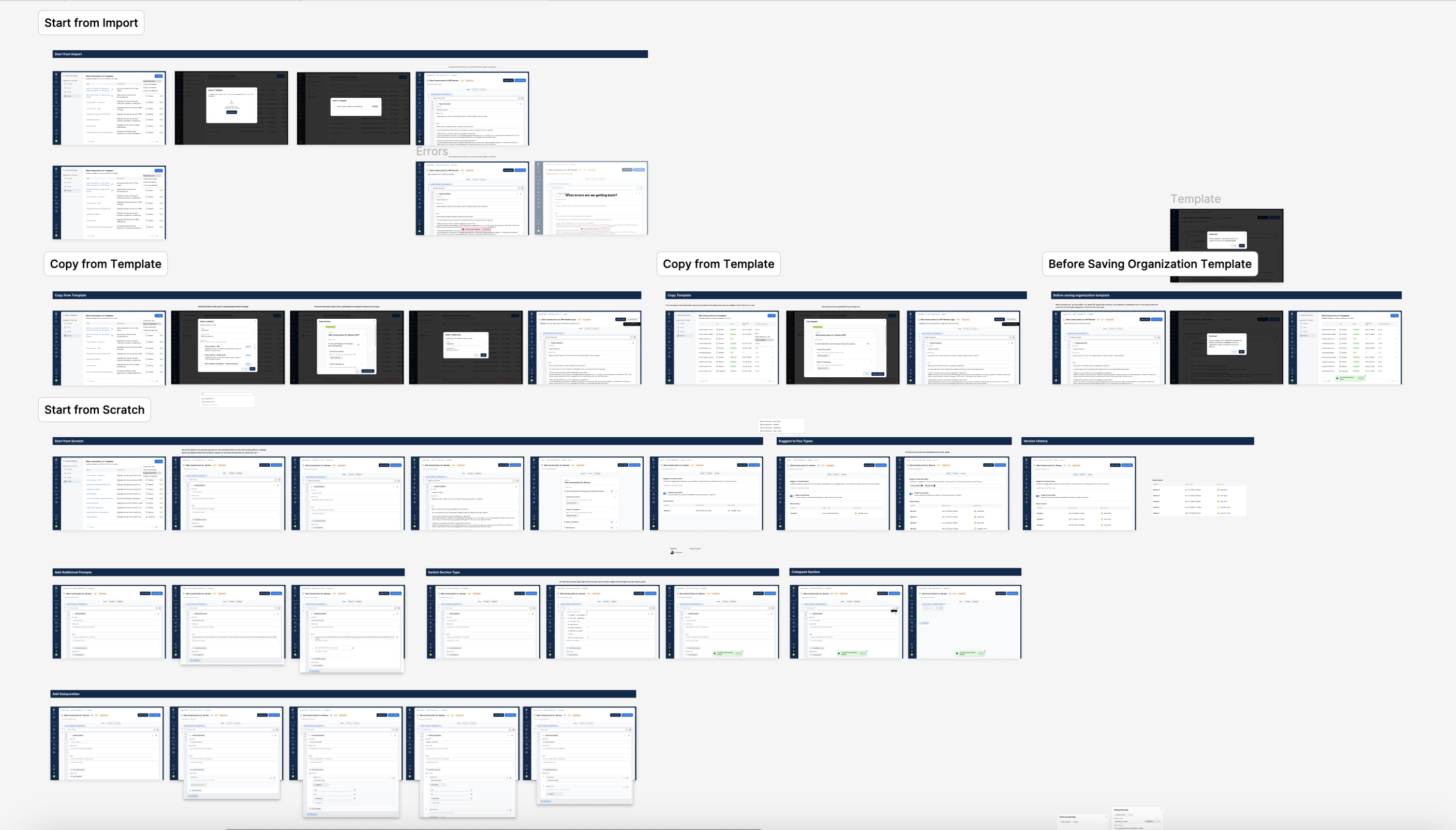
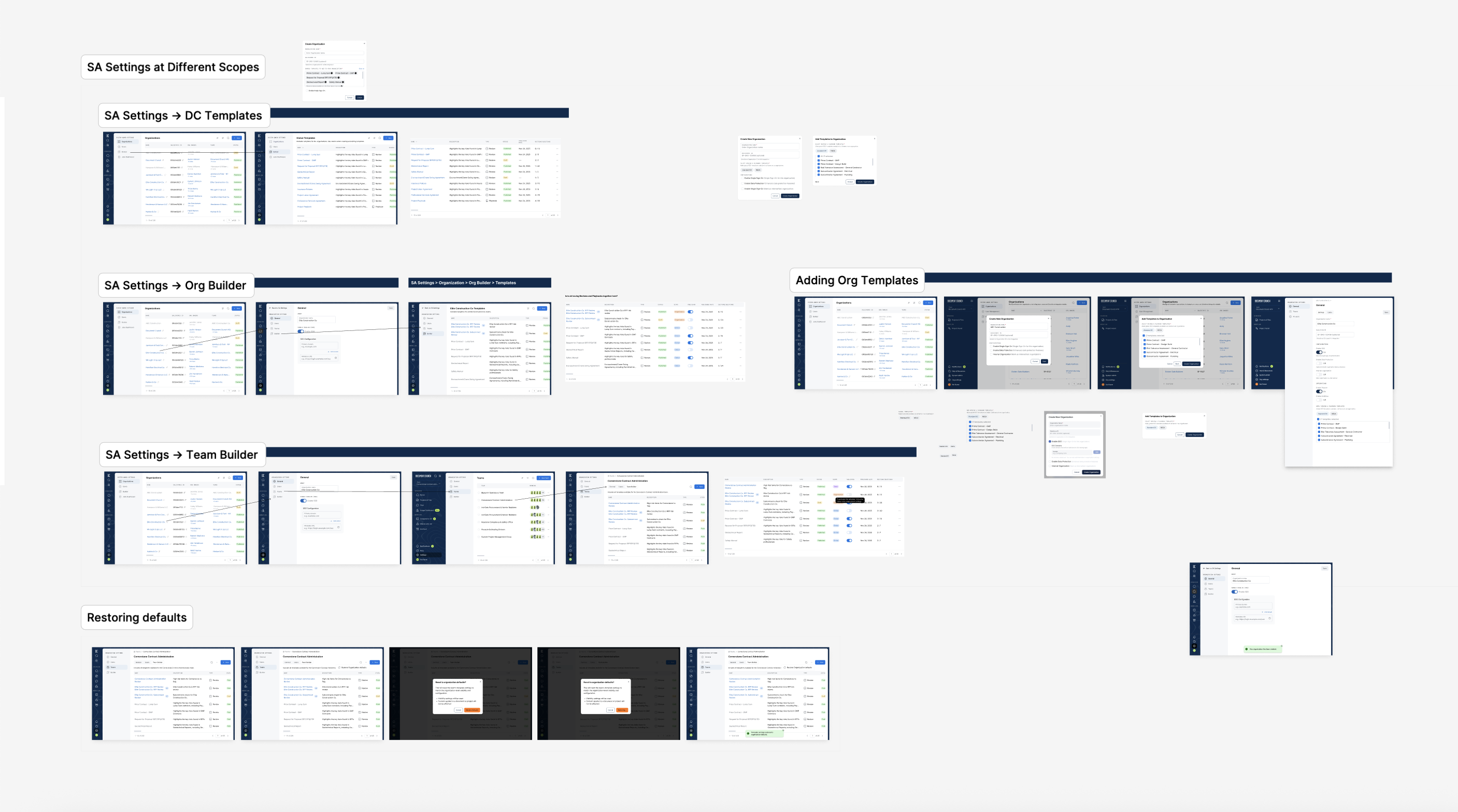
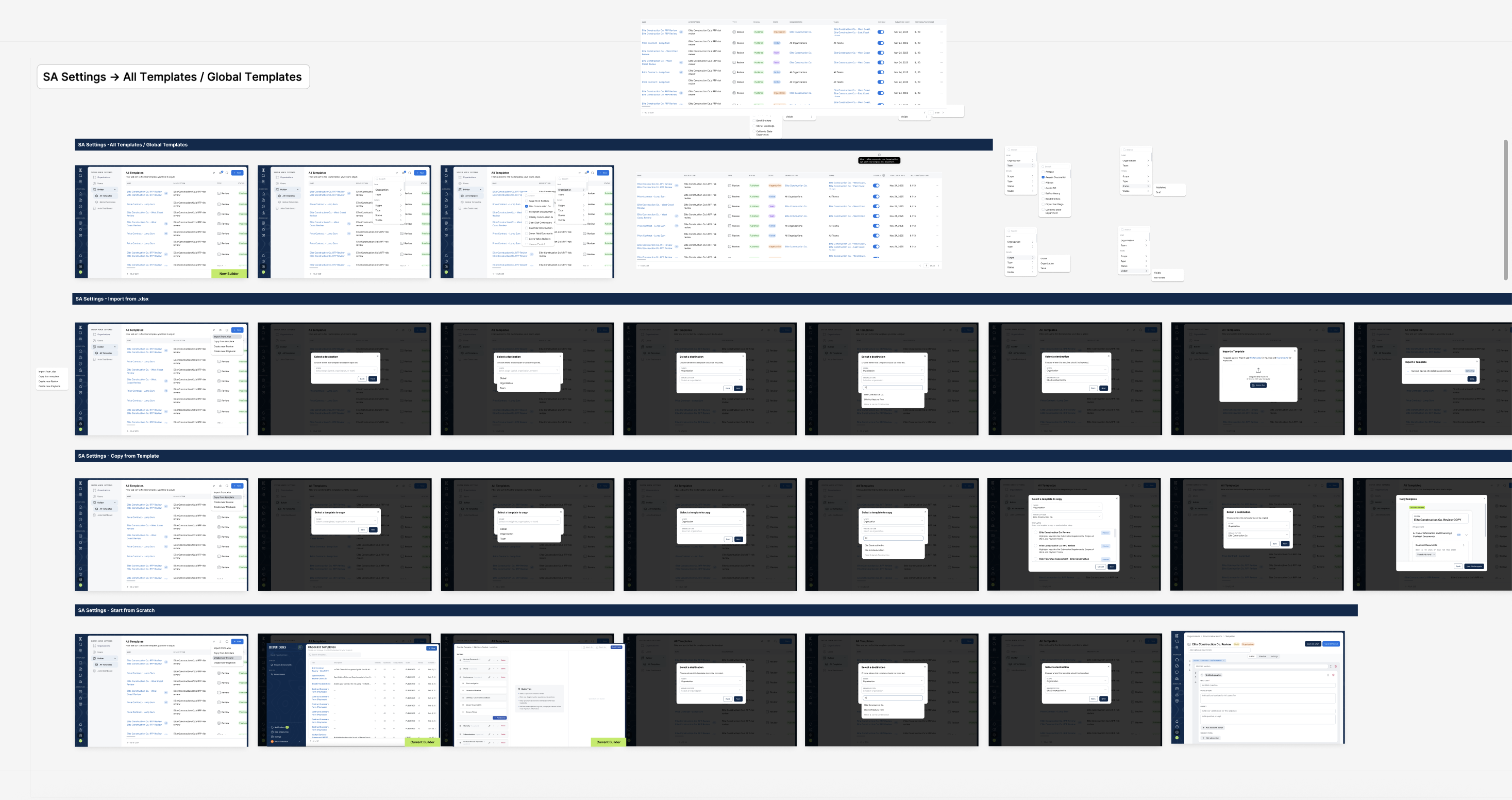
The second area was scaling: an XLSX import/export flow that let CSMs roundtrip checklists between the builder and a spreadsheet. This opened the door to fast replication of similar configurations across customer accounts — the single biggest 1.0 pain point — without requiring a major UI redesign. The third area was scope, a brand-new concept being introduced in 2.0: a template management surface that made the new org-to-team inheritance relationship visible and controllable from day one, with explicit affordances to push changes from a parent template to its children, or break inheritance for a particular team that needed to diverge.
Before & After
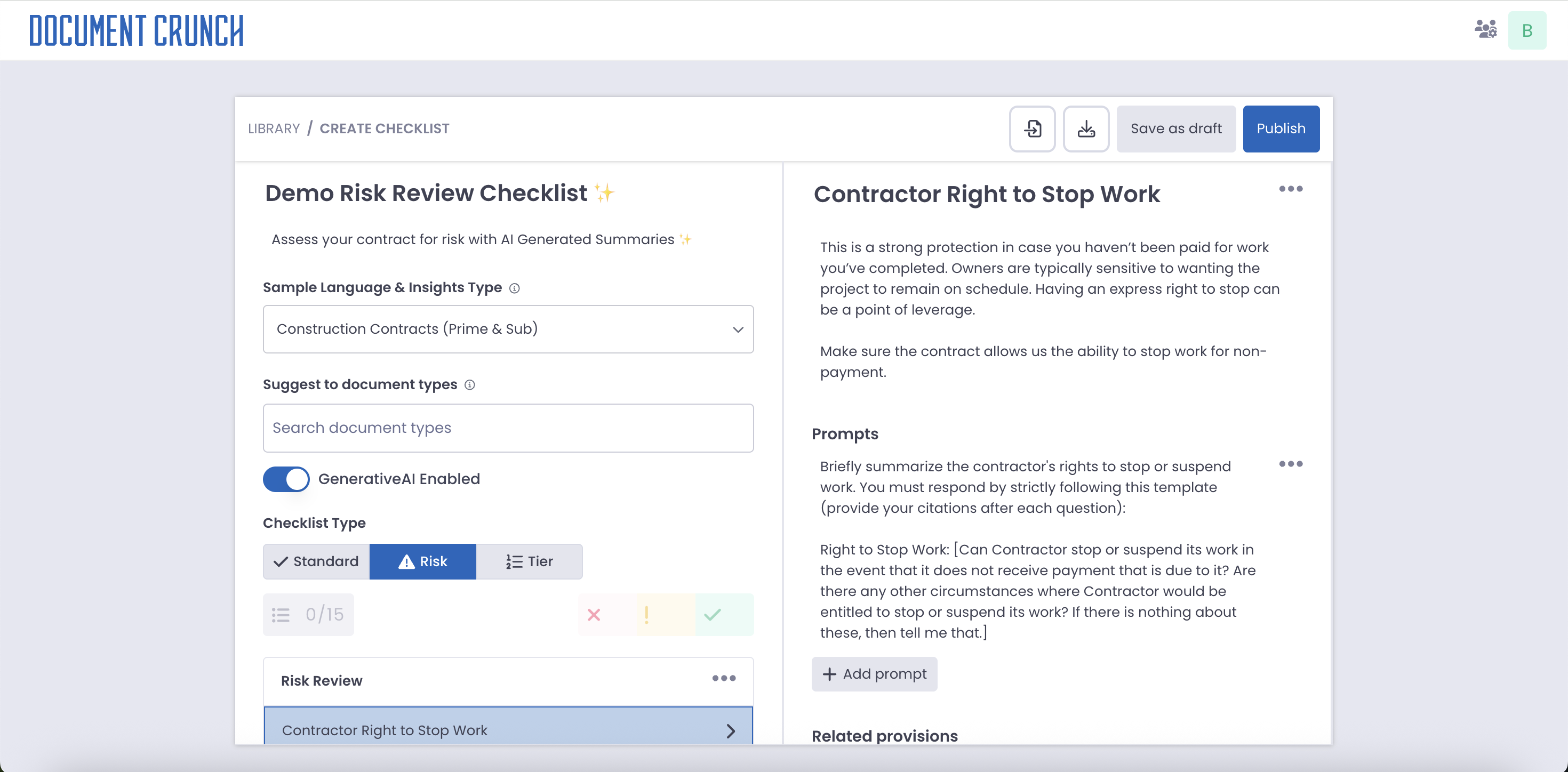
The 1.0 builder supported only basic question types, had no import or export of any kind, and gave CSMs no clear visibility into how org and team templates related to each other. The 2.0 builder adds enhanced question types, XLSX import/export, and a template management surface that makes inheritance behavior explicit and controllable.
Develop & Deliver
The Final Design
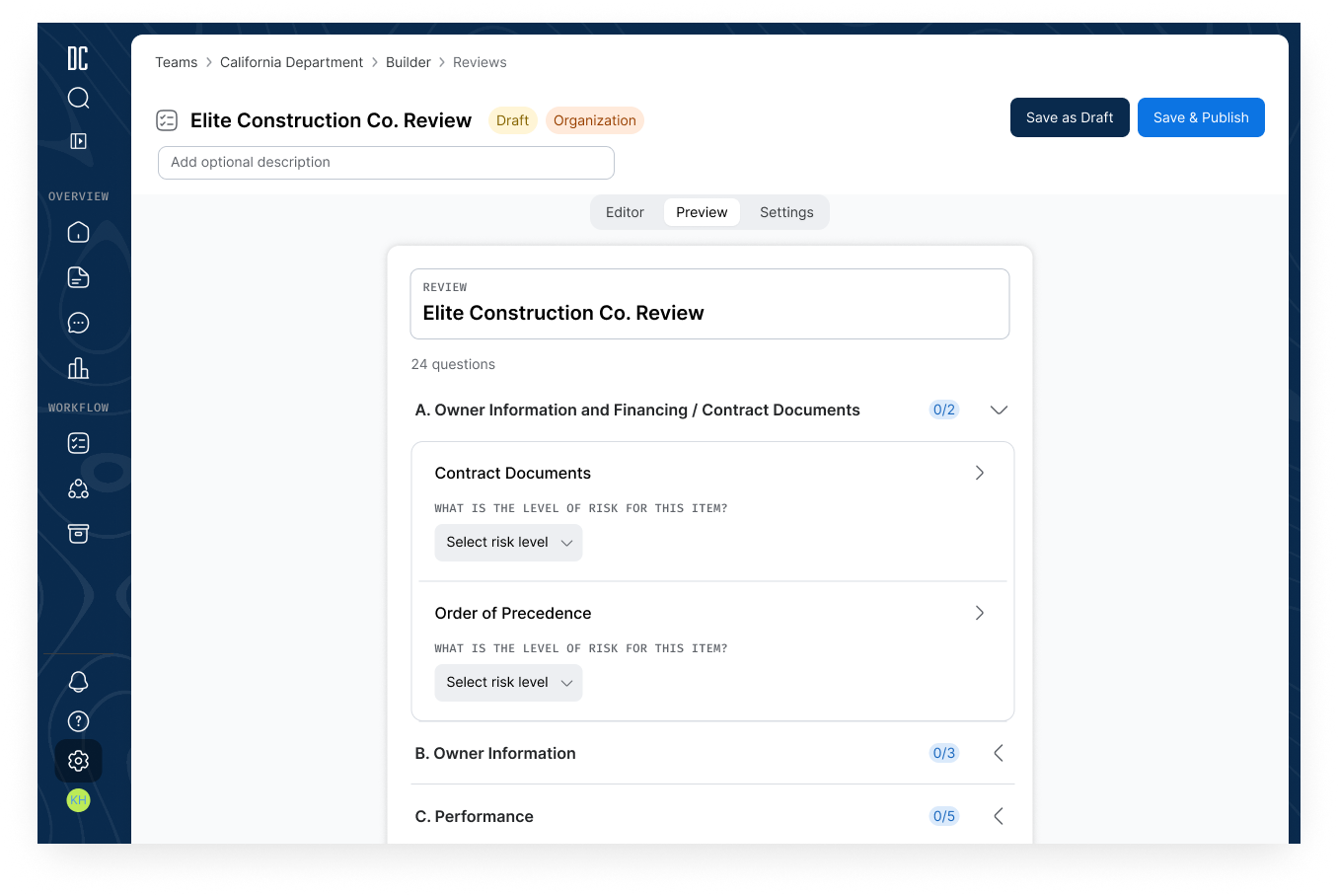
The rebuilt Customization Builder gives Document Crunch's internal team the flexibility and scaling capabilities needed to support every customer's checklist and playbook needs. XLSX import/export removes the CSM bottleneck of manual recreation. Enhanced question types — conditional logic, multiple choice, duplicate, and flexible status — close the gap with what customers were actually asking for. And a redesigned template management surface makes the org-to-team inheritance model explicit, so CSMs know exactly how a change at one level will or won't propagate to the others.
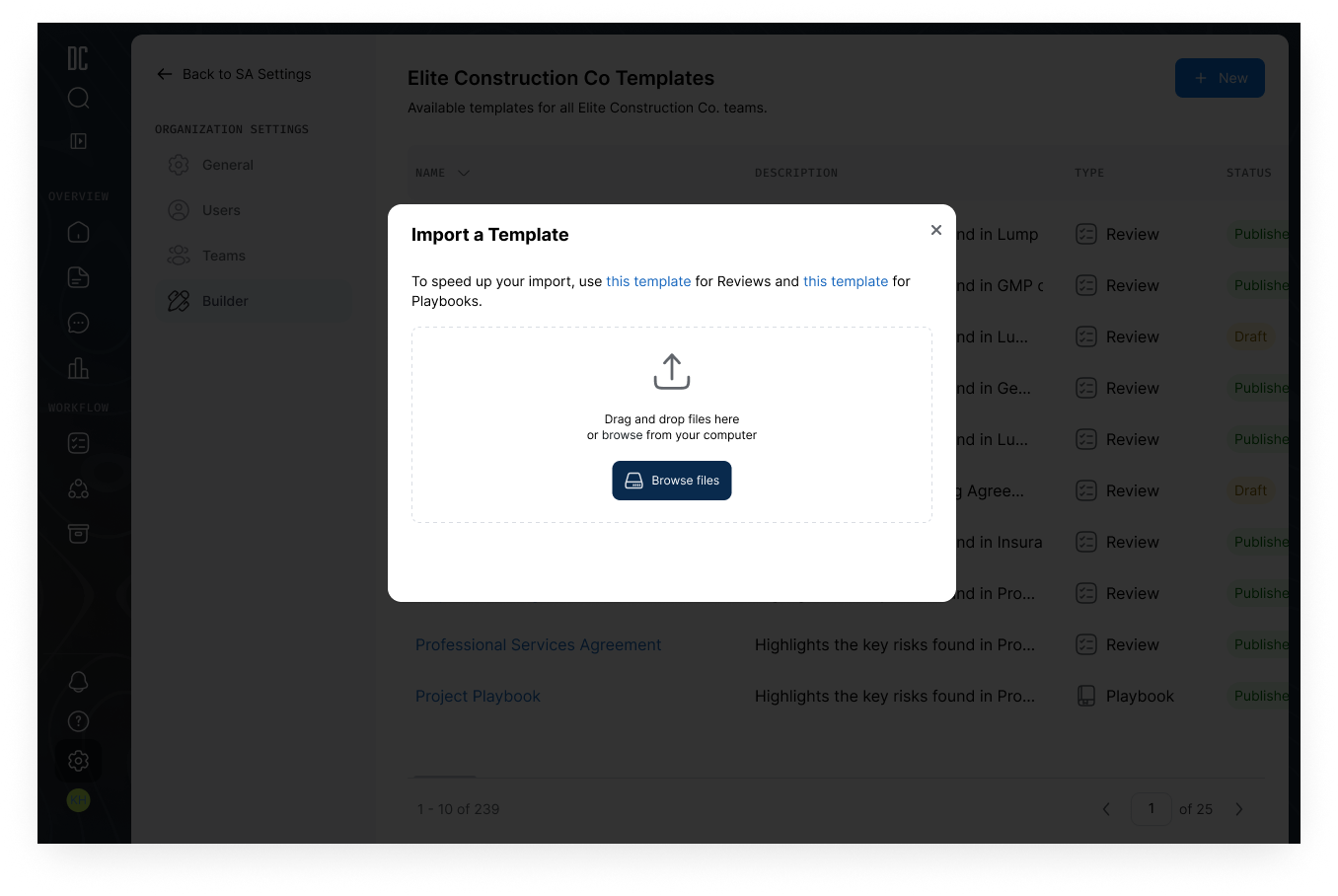
XLSX Import & Export
The single biggest CSM pain point with the 1.0 builder was the absence of import/export — every new customer setup required manually recreating large portions of similar configurations. The 2.0 builder adds first-class XLSX support: CSMs can export any existing checklist as XLSX, edit or duplicate it offline (or hand it to a customer to draft), and re-import it as a template at any level of the hierarchy. The result is a workflow shift — from "rebuild every checklist from scratch" to "start from a similar one and customize the differences" — and it directly supports the project's success target of cutting customization time by 30%.
Enhanced Question Types
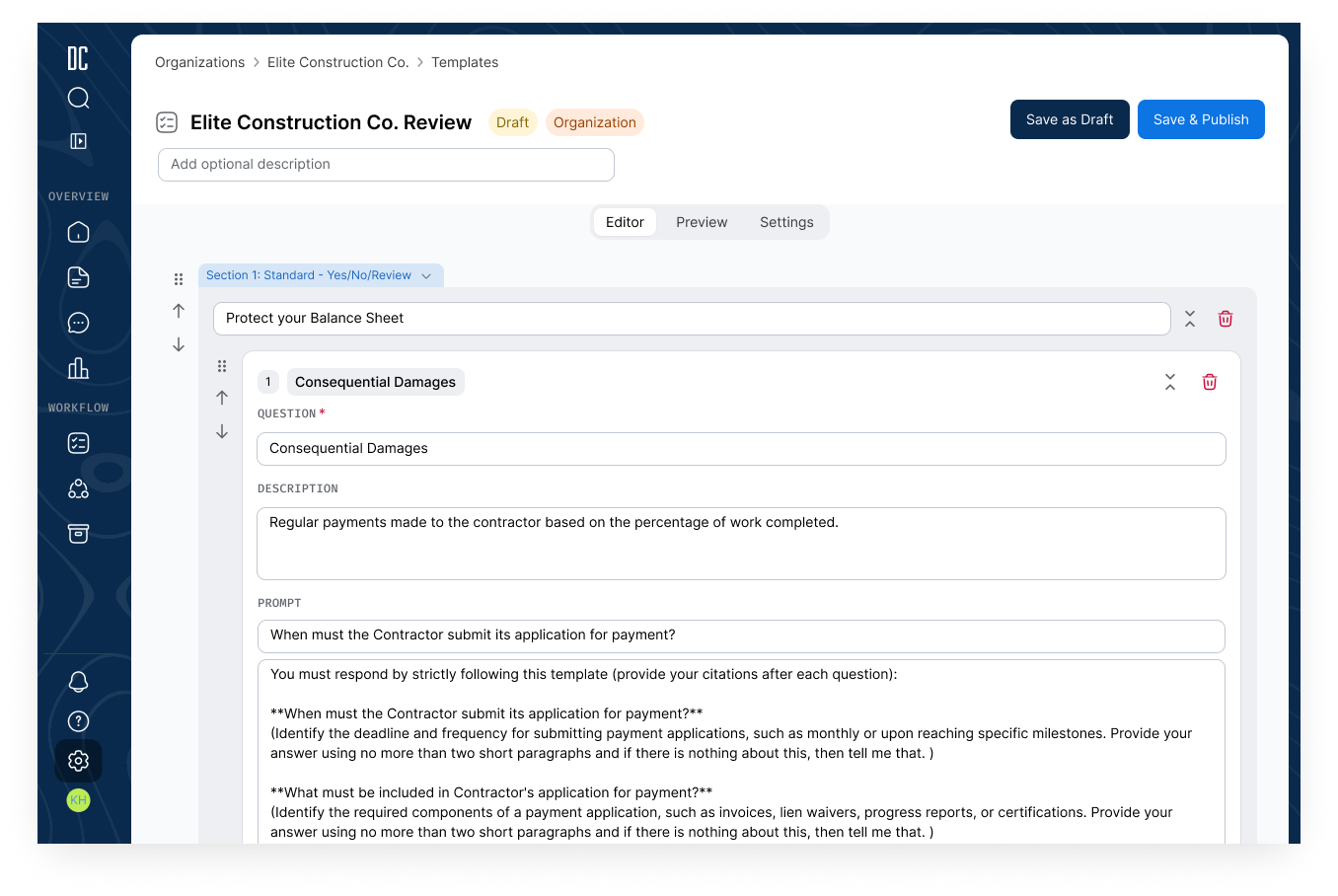
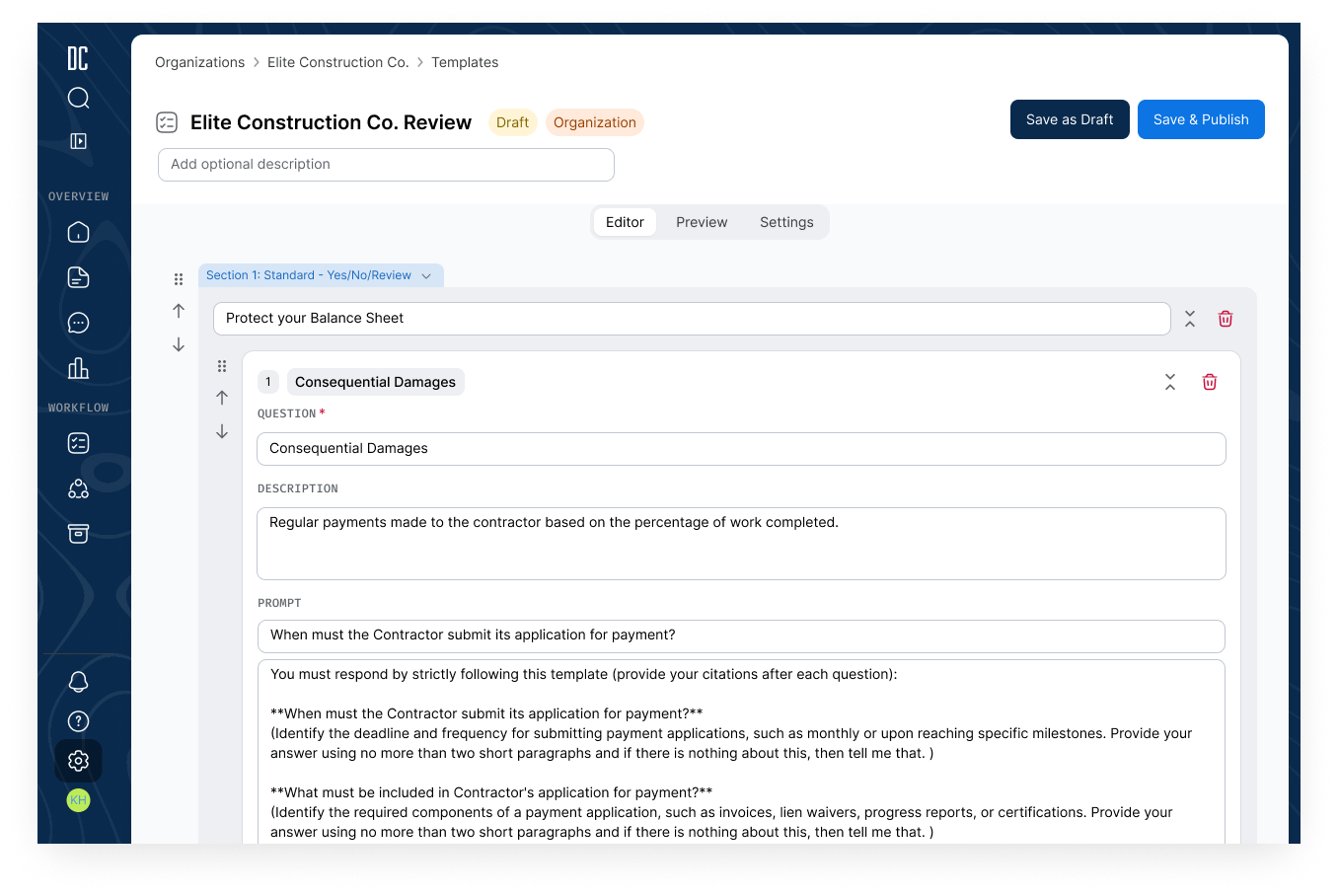
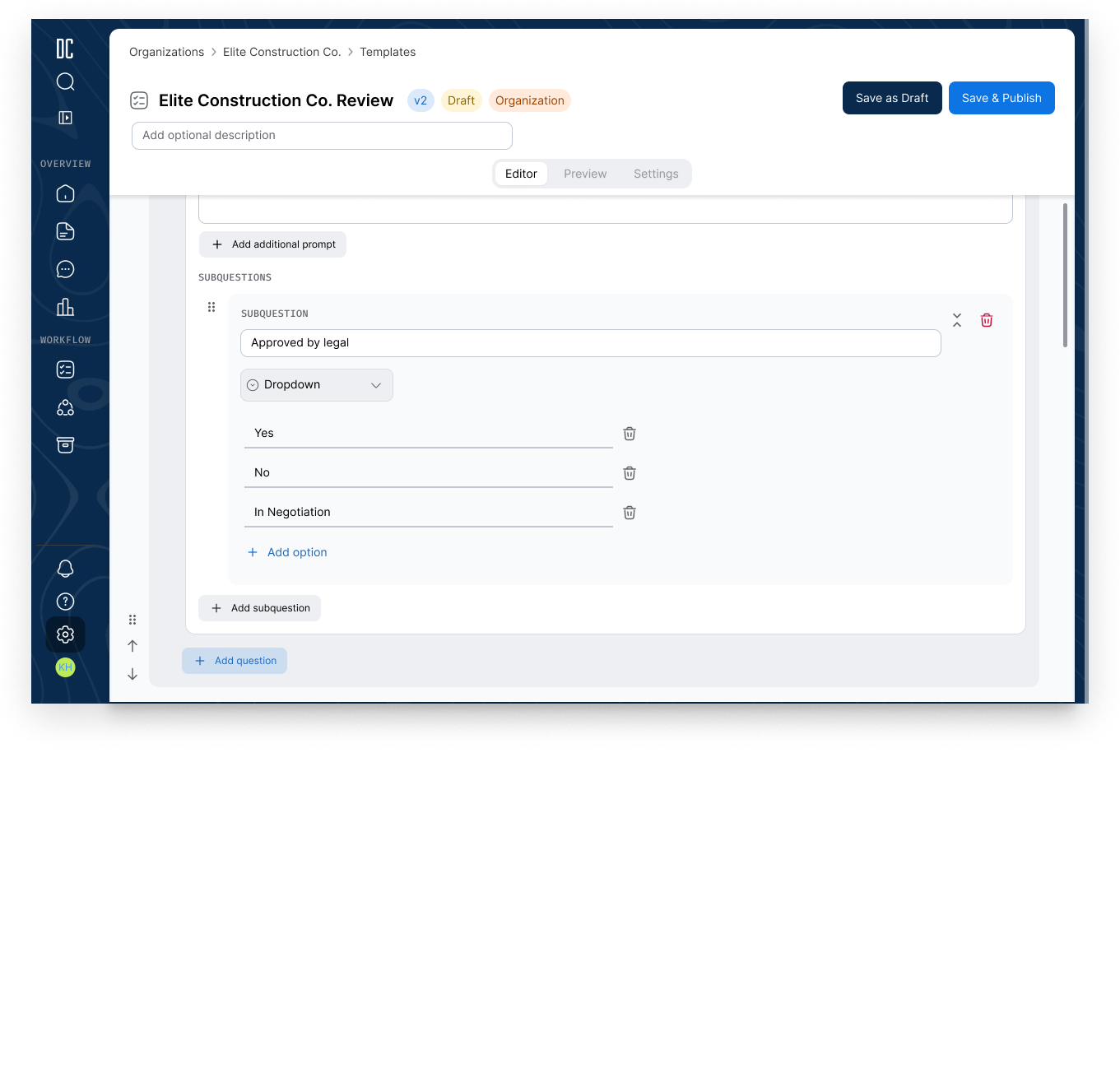
The 1.0 builder supported only basic question types, leaving CSMs unable to fulfill three of the most-requested customer asks. The rebuild adds: conditional logic (a question can show a follow-up field based on a prior answer — for example, "if liquidated damages = yes, show $ amount"); multiple choice with checkboxes; duplicate question for fast replication of similar items; and flexible status options — including N/A, optional, and customizable status sets of up to four values, so checklist items that don't apply to a given project can be excluded cleanly rather than forced through a yes/no answer. Each type was designed to coexist with the others without making the editor visually overwhelming for users building large checklists.
Org & Team Template Management
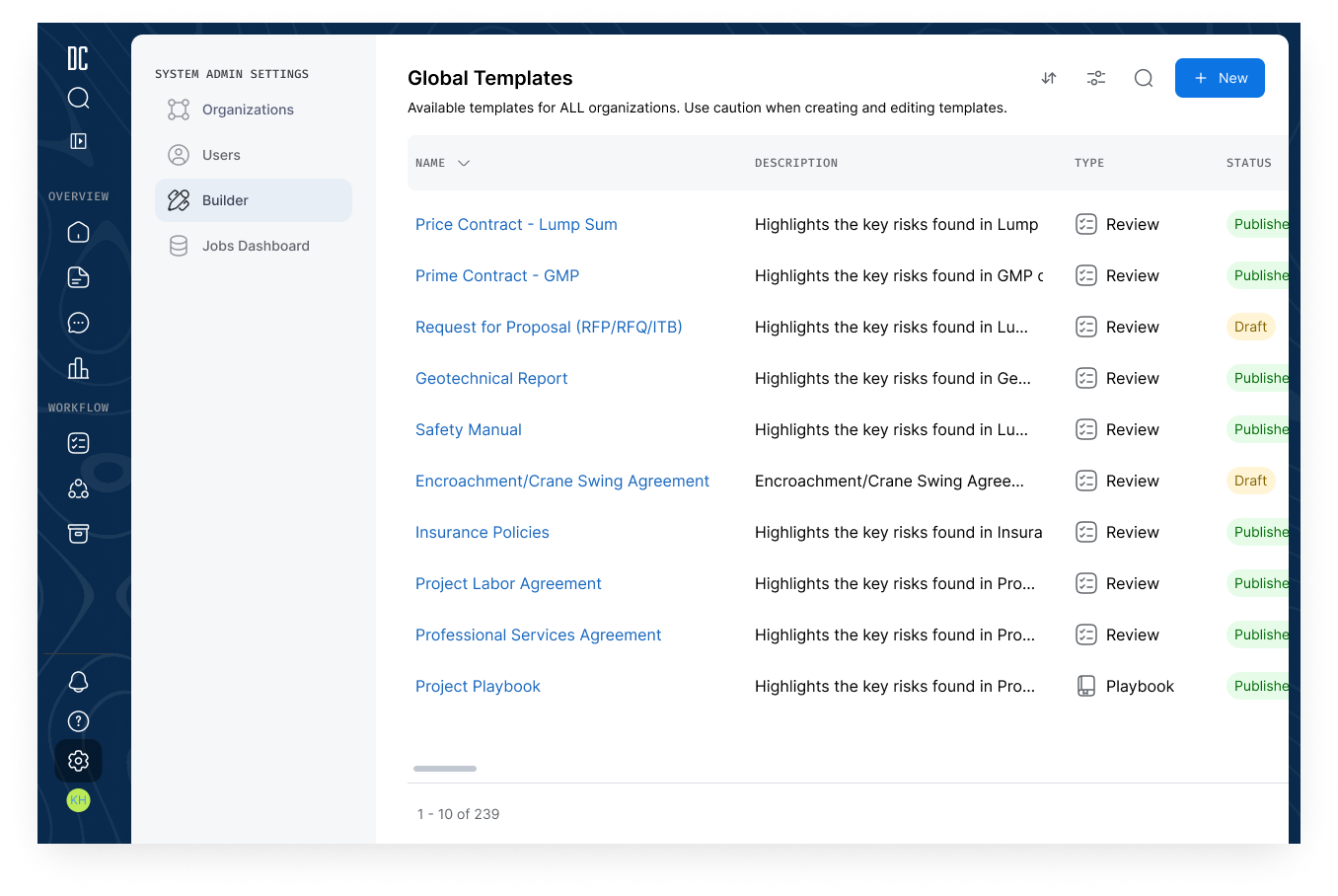
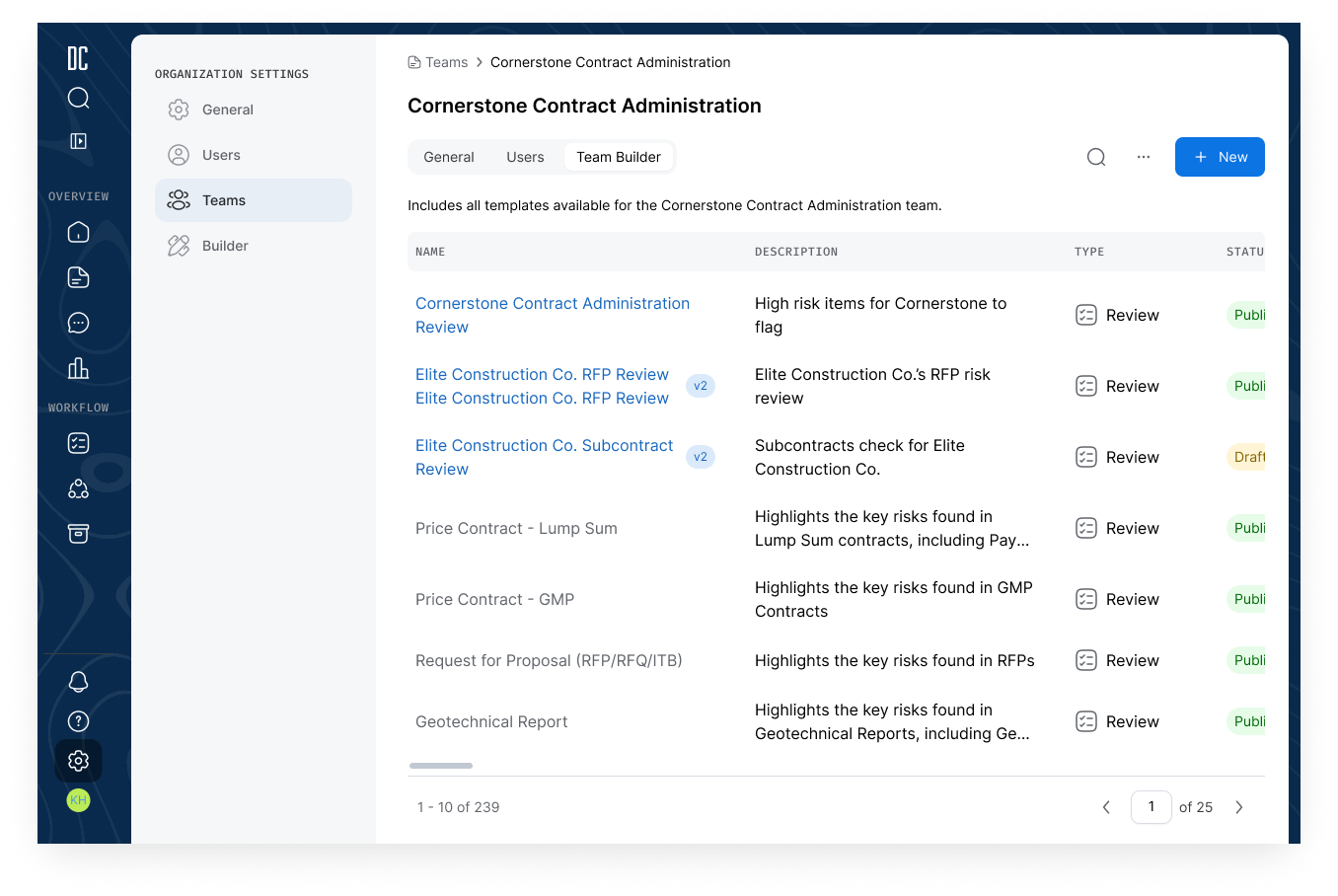
Customer templates exist at multiple levels: system-level (DC's library), org-level (a customer account), and team-level (a team within that account). The 2.0 template management surface makes those relationships explicit. CSMs can develop a template at the org level and have all child team templates inherit changes automatically, or break inheritance for a specific team so that team's customizations are no longer affected by upstream edits. AI-enabled indicators surface which templates have AI features turned on across all views (dashboard, library, and builder), and enhanced search and filtering in the library make it fast to locate the right starting point. The result is a template management model where what a customer ends up seeing is no longer ambiguous — it's traceable to a specific level and a specific inheritance state.
Project Takeaways
A note on impact data: the Customization Builder is still rolling out across our customer base, so we don't yet have post-migration metrics to quantify how the new design compares to 1.0. The takeaways below reflect the design and build process; comparative data will be added once adoption matures.
The scope hierarchy work was a reminder that introducing a new architectural concept is a design problem that has to be solved at the business-rules layer first. The multi-level template model didn't exist in 1.0, so there was no precedent to lean on — every inheritance rule, every override behavior, every "what does the customer ultimately see" question had to be defined from scratch. Getting the product manager, engineering, and the internal team in the same room to explicitly agree on what propagates from org to team, when inheritance can be broken, and what the resulting state should be — that work had to happen before any wireframe was useful. Design was the forcing function, but the output wasn't screens; it was decisions.
Designing for internal power users is a different discipline than designing for customers. These users knew every flaw in the 1.0 tool and had strong opinions about what the fix should be. That's a gift: the feedback was specific, the use cases were concrete, and the validation loop was fast. But it also required active resistance against building exactly what users asked for. The fastest-stated asks weren't always the right solution — the underlying need was "stop making us recreate similar checklists from scratch," and XLSX import/export hit that root cause with a much smaller, more flexible build than the workflows users initially proposed.